





The Ultimate Tactical Saga Reborn, 『Genesis War』
Greetings, this is GM Azidahaka.
Among the various Training contents in Genesis War, [Area Investigation] is
a mode where you combine exploration and combat to obtain key materials needed for character growth.
The more you understand how [Area Investigation] works—especially its progression flow and reward structure—
the more efficiently you’ll be able to farm and plan your daily play.
This guide will introduce the core mechanics and main features of Area Investigation,
helping you make steady progress and get the most out of the content.
Please refer to the information below and take full advantage of this Training mode.
[Area Investigation]
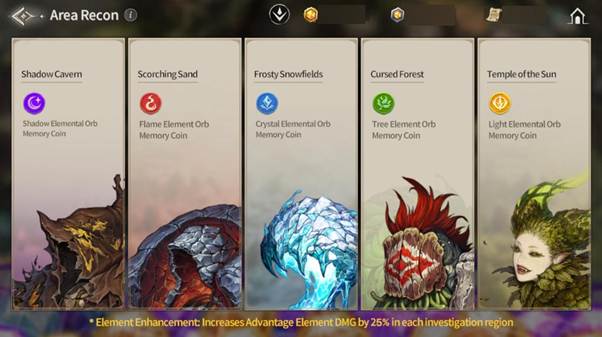
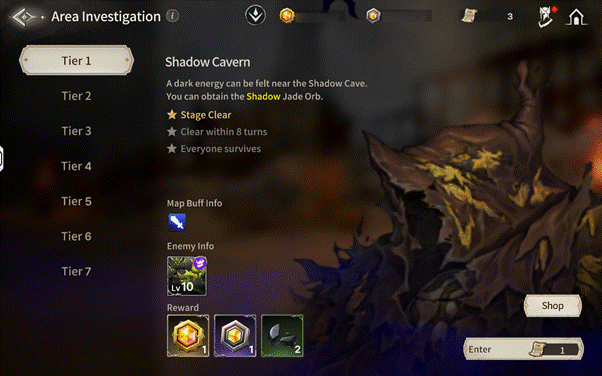
Through Area Investigation, you can obtain Memory Coins and Agates,
which are essential materials for character growth.
Memory Coins can be exchanged in the Exchange Shop for Memory Fragments,
a key resource used to strengthen and progress your characters.
When starting an Area Investigation, you can freely choose a region based on the Elemental Agate you wish to acquire.
The amount of Memory Coins earned remains the same regardless of the selected region.
Additionally, on specific dates, all Area Investigation rewards are increased by 2.5×,
making it the perfect time to focus on efficient progression.
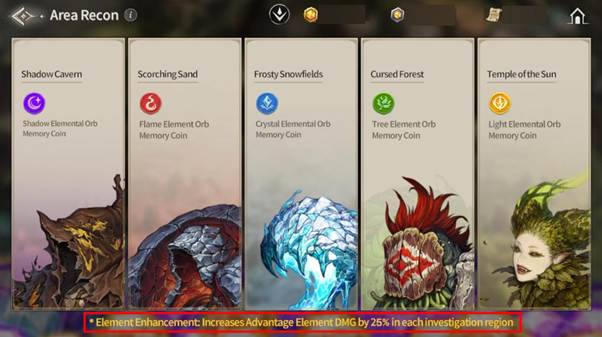
※ Elemental Enhancement
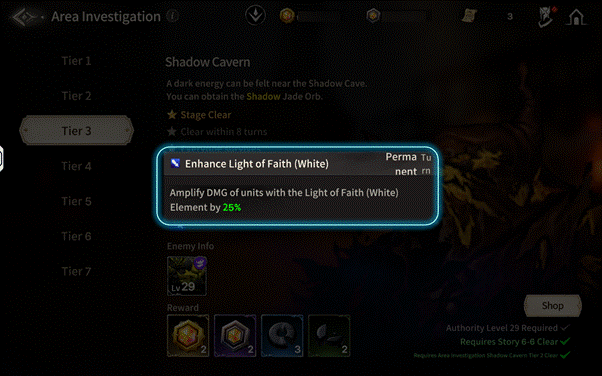
Each investigation region features Elemental Enhancements that affect combat.
You can check the detailed effects by tapping the Map Buff information on the Area Investigation entry screen.
Understanding and utilizing these elemental bonuses will help you gain the upper hand in battle.
Tip. By playing various Training contents, you can earn Achievement Rewards.
Achievement rewards can be checked via [Quests] located at the top-left of the Lobby screen.
(Achievement images shown are for reference only. Please check in-game for full details.)
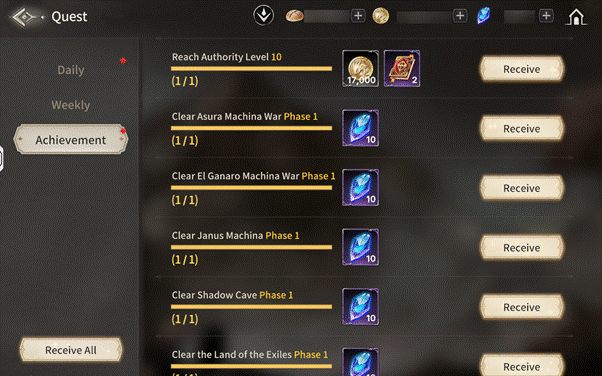
TIP. Clearing Stage 6 of Area Investigation will reward you with a Profile Title that can be used to customize your profile.
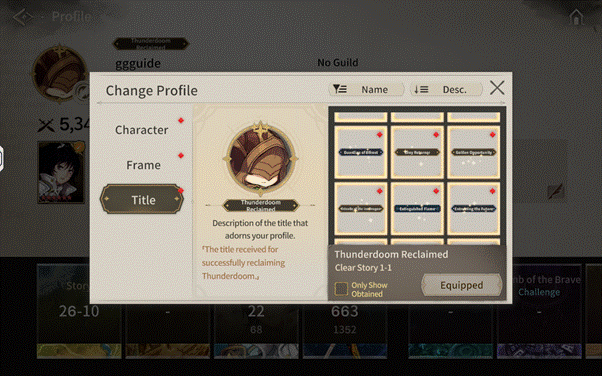
You can view and manage your titles by tapping the [Profile] icon at the top-left of the Lobby screen.
(The title shown in images is an example. Please refer to the in-game title menu for details.)
※ All images in this notice were captured in a test environment.
※ Actual in-game images may change depending on the update.

Move to the Login page?
Move to the login page?
두줄일떄 텍스트
등록한 상품 바로가기(링크)두줄일떄 텍스트
등록한 상품 바로가기(링크)두줄일떄 텍스트
등록한 상품 바로가기(링크)Your Game ID (NID) can be found in your game profile or settings.